2026-10-10 · Dev · 16 min read
Today’s Product Hunt: Same Apps, Different Names?
A 147-day Product Hunt streak led me to count the repeats: 32 notch apps in eight days, six PDF tools in one day, and plenty of familiar pitches.
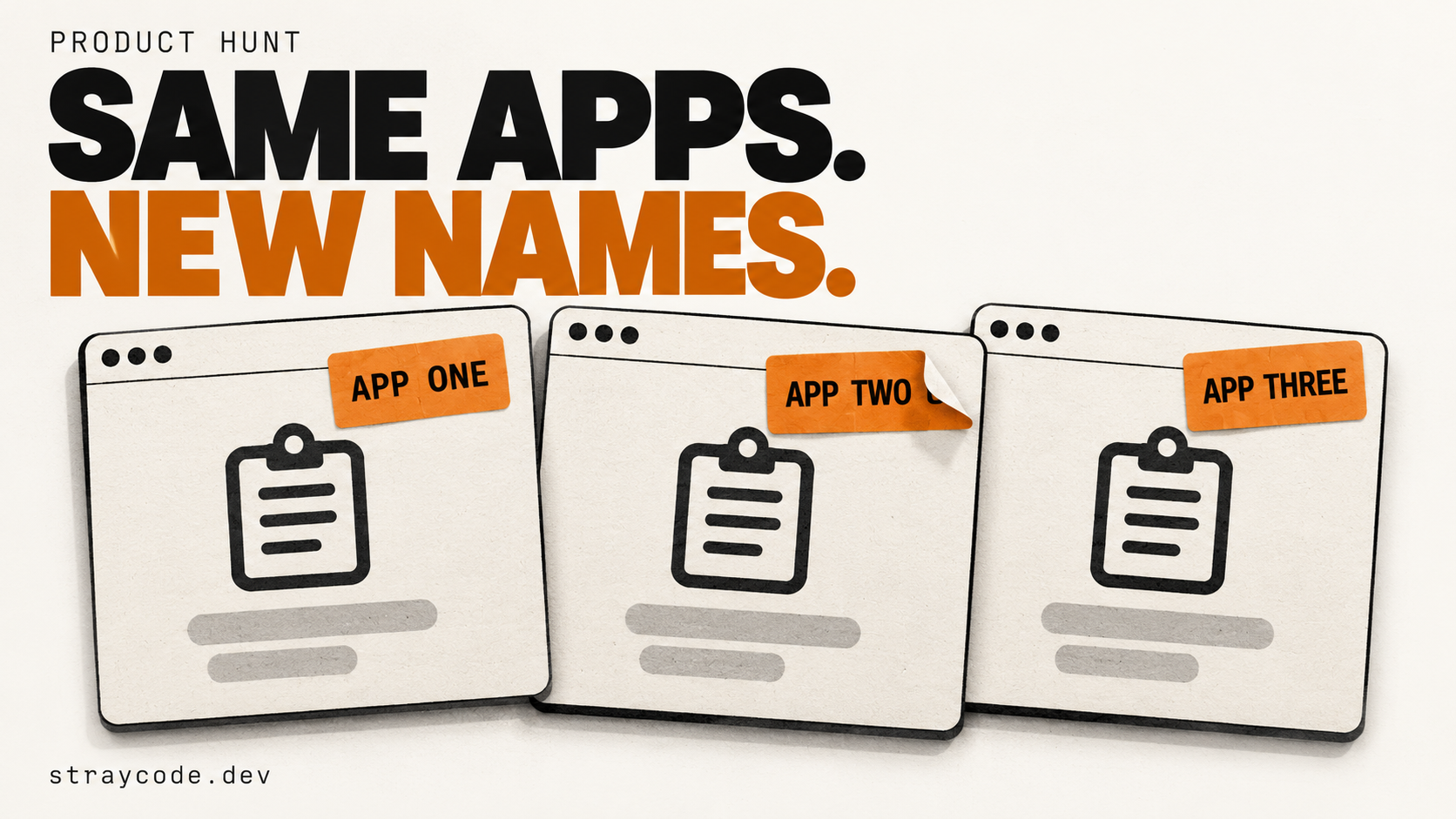
I'm on a 147-day Product Hunt streak. I log in every day because keeping it going has become a small personal challenge. While I'm there, I browse the launches.
Do that often enough and the names start mattering less than the pitch. You recognize the clipboard manager before you've read what it's called. The screenshot tool can extract text. The little animal reacts when you type. Someone has found another thing to put in your MacBook's notch.
On October 10, I spotted TapNoise and Pawse on the same list. Two more pets. Further down were PDF editors, dictation apps and tools to write your next social post.
So I wanted something more concrete than the feeling that I'd seen it all yesterday. I started with the general launch list and compared what the products actually promised to do.
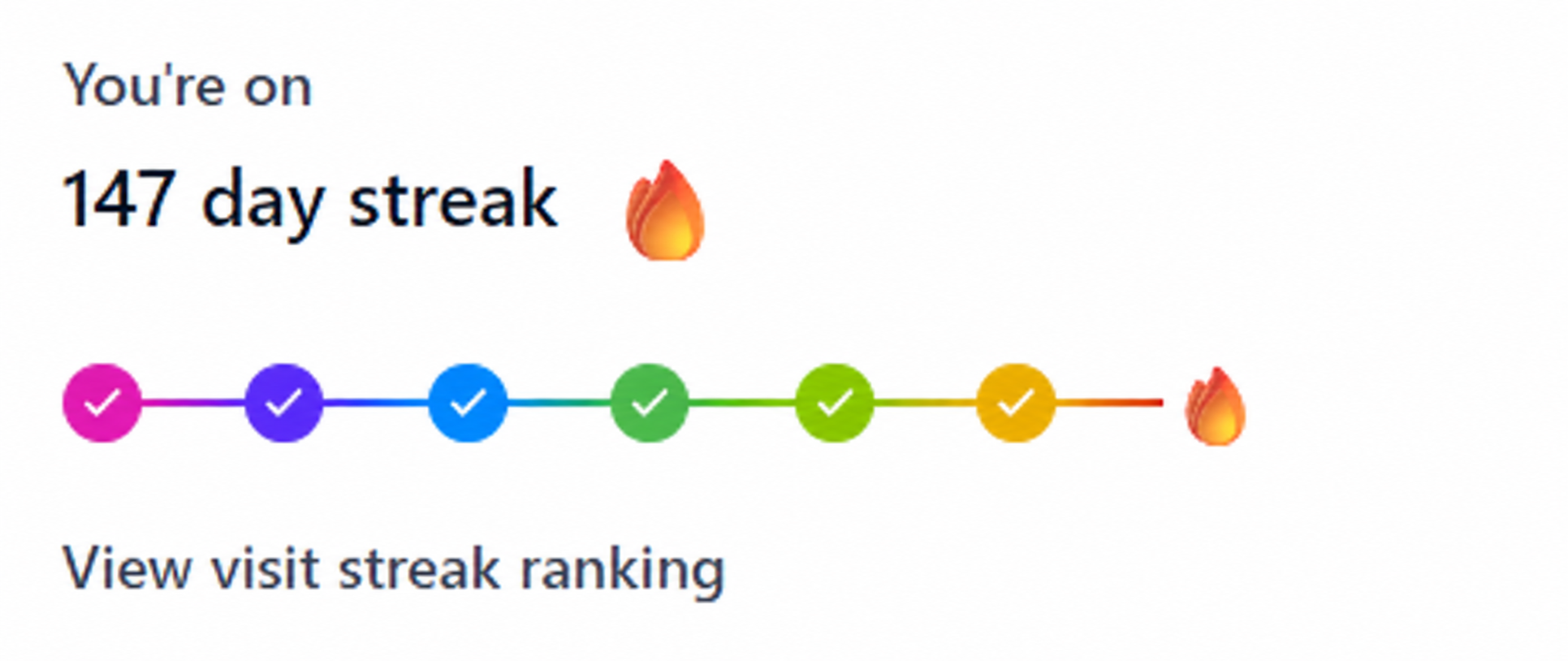
*147 days of showing up. Image edited to remove the products section. The counts in this article cover October 3 through 10.*
What turns up when you open the full list
The research covered Product Hunt's All lists, including entries that load further down the page. That matters when the thing you're noticing is buried below the Featured selection.
Across October 3 through 10, the collected examples included at least 32 notch or desktop island apps and 10 digital pets.
Here's the notch count by day:
| Launch date | Identified notch / desktop island apps |
| --- | ---: |
| October 3 | 2 |
| October 4 | 3 |
| October 5 | 4 |
| October 6 | 6 |
| October 7 | 3 |
| October 8 | 3 |
| October 9 | 3 |
| October 10 | 8 |
Thirty-two apps in eight days is a lot of attention for that bit of the screen.
The October 10 list had plenty of repetition elsewhere, too:
| Function or format | Named examples identified that day |
| --- | ---: |
| Notch apps and desktop islands | 8 |
| Digital pets | 5 |
| Clipboard history | 3 |
| Screenshot OCR, editing or search | 4 |
| Screen recording | 2 |
| PDF tools | 6 |
| Dictation | 3 |
| Meeting notes and transcription | 3 |
| Social content creation and scheduling | 4 |
| Workspaces or controls for coding agents | 3 |
| Reviewing code changes | 2 |
| AI search visibility and related audits | 7 |
These are minimum counts from the products checked. Categories overlap, and launch entries can include new versions. The October 6 list wasn't read to its end, so this isn't a complete census of the eight days.
The descriptions below come from the makers' launch pages. I haven't installed and tested all these apps. What I wanted to compare was the offer a person scrolling Product Hunt actually sees.
Five digital pets in one day
TapNoise reacts to your typing. Pawse reminds you to drink water and take breaks.
They appeared on October 10 alongside Token Monster, Mewvori and Free Tamagotchi Online for Browser. Five digital pets on one day's list, spanning different uses and platforms.

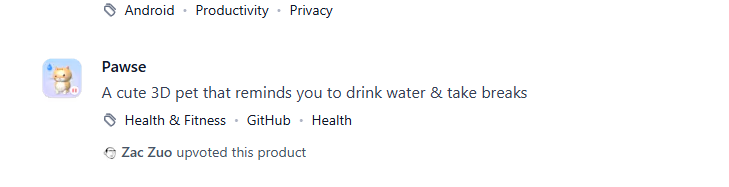
*TapNoise and Pawse, captured from the same day's launch list.*
The closer functional match is TapNoise and Paw-Paw, which appeared on October 8. Both offer a pet that responds to typing. Two days apart, a different name, a familiar reason to install.
A pet that reminds you to take breaks does a different job from one that reacts to keystrokes. The broader count also includes habit apps and browser pets. Still, when you're browsing every day, you can see why another little companion stops feeling like much of a discovery.
Sometimes even the headline is the same
Kishi Notch and Isly used the same words on their launch cards:
Your MacBook notch, brought to life
One added a full stop.
That's a fairly specific example of the déjà vu. You don't have to speculate about the code or compare screenshots pixel by pixel. The products introduce themselves with the same sentence.
Other pairs share a more practical promise. Notchzy and NotchClean bring a Dynamic Island style interface to Windows. Hallmonitor, SupaYatta and Agent Island use the notch area for coding agent activity or controls.
These apps may handle the details differently. But the launch card is where they ask for your attention, and several are asking you to consider much the same use for the same space.
The clipboard manager has learned OCR. Again.
The October 10 list included Buffer, a searchable clipboard history for macOS that can read text inside screenshots. Letra lets you select part of the screen and copy the text from it. Pastebird offers Windows clipboard history with keyboard search and paste.
Further down was Notchet, which puts clipboard history in the MacBook notch. Two of the recurring ideas in one app.
There are older products worth comparing here:
| Products | Shared function | Difference visible in the descriptions |
| --- | --- | --- |
| Buffer / Cubby Clipboard | Search copied material, including text inside screenshots | Buffer targets macOS; Cubby targets Windows |
| Notchet / Cliptop | Access clipboard history near the notch | Cliptop also describes menu bar access and Pinboards |
| Buffer / Letra | Extract usable text from images on a Mac | Buffer works with copied items; Letra starts with selecting an area of the screen |
Cubby and Cliptop sit outside the dated counts. They show that these combinations were already available.
Then there are the screenshot utilities. SnipPop keeps screenshots in floating bubbles, with cropping, annotations, compression and text extraction. DejaShot searches text inside screenshots in your folders. Both were on October 10's list.
This is where the comparison gets more useful than simply calling everything a clone. Copying a code snippet from a video and finding an old screenshot are different frustrations. Letra and DejaShot describe those entry points clearly. OCR is the shared feature; what happens around it gives you a reason to choose.
When another app leads with text extraction alone, though, I've already seen that feature several times before reaching the bottom of the page.
Screen recording, with a different set of extras
Skreno and CyanFocus appeared on the same day. Both help turn a screen recording into something you can send to someone.
Skreno records the screen and camera as separate tracks in the browser. It offers editing, silence removal and captions, then a sharing page with a transcript and comments attached to timestamps. You can also send someone a link asking them to record for you.
CyanFocus concentrates on Windows demo recordings. It adds editable zooms around clicks and says it can detect and blur sensitive details in the video. Processing and export happen on the PC, according to its description.
The destination helps explain the difference. Skreno describes a recording someone can discuss with you. CyanFocus spends more of its pitch on how the finished demo looks and what it hides.
That gives me something to compare. “Record better videos” would leave me opening both pages to find out what either one meant.
Six PDF tools. Yes, on the same list.
The PDF cluster was harder to miss once I looked beyond the top launches.
| Product | Main functions in its description | How it's presented |
| --- | --- | --- |
| PrivatePDF Editor | Edit, convert, merge, rotate, watermark and password-protect PDFs | A browser workspace |
| DiscreteDocs | Compress, convert, merge, split, sign, OCR and redact | Local browser processing, without uploads or an account |
| ShiftAny Files | Merge, split and convert files | Local browser processing, without uploads or an account |
| FixMyPDFs | Edit, merge, compress, split, redact and convert | Local browser processing, without uploads or an account |
| OneFileKit | Convert, compress and merge PDFs; resize images | A collection of browser file utilities |
| Blank | Fill and sign PDF forms | A Mac app with saved details, signatures and local drafts |
DiscreteDocs, ShiftAny Files and FixMyPDFs overlap in the operations and the pitch. Several launches on the same day offered to merge or convert a PDF in your browser while keeping the file on your device.
At that point, adding “private” doesn't do much to distinguish one from the next.
Blank gives a more specific reason to look. It focuses on filling forms: placing text correctly, reusing details and getting a signature where it belongs. I can picture the annoying task it's trying to fix.
There is a detail worth keeping straight here. Running in a browser doesn't necessarily mean processing stays on your device. DiscreteDocs, ShiftAny Files and FixMyPDFs explicitly make that claim. PrivatePDF Editor's description doesn't establish the same thing. The table records the promises; it isn't a privacy audit.
Two local dictation apps with a very similar pitch
Say the Word and LocalBolo both appeared on October 10. Both target dictation on the Mac using models running on the device, without an account.
Say the Word describes holding a key, speaking and pasting the result where you're typing. It also mentions recovering missed pastes and optionally cleaning up the text with a local Ollama model. LocalBolo keeps the pitch shorter: local open-source models, no server and no recordings kept.
Arkemis includes dictation in a broader voice assistant. It also describes actions in connected apps, with changes reviewed before they happen. That extra scope matters when comparing it with a speech-to-text utility.
For the two Mac dictation apps, I'd want to know how they handle the irritating bits: names, corrections, a sentence I restart halfway through. I'd also want to see whether the text reliably lands in the app I'm using.
Those are reasons I might switch. Another statement that speech recognition happens locally leaves the two products sounding much alike.
Meeting notes, without another bot in the call
Cohearo, Pure Brief AI and Morse 1.1 were on that day's list too.
Cohearo and Pure Brief AI both describe recording and transcribing meetings without a bot joining the call. Both emphasize processing on the device.
Read a little further and an important difference appears. Cohearo says transcription and speaker identification run locally, while cloud AI templates help turn transcripts into notes. Pure Brief AI says recording, transcription and AI run on the Mac by default, with optional connected features.
Local transcription tells you where one step happens. It doesn't answer where the summary gets written.
Morse builds the job into a meeting app. It combines scheduling with answers from your notes and files, then produces summaries, decisions and tasks and helps arrange a follow-up. Pure Brief AI highlights checking summaries against source quotes and sending tasks to Apple Reminders.
All three help you keep track of a conversation. The place they occupy in your working day differs considerably. That comes through once you read past the promise of automatic meeting notes.
Four more tools to write and schedule your posts
The October 10 list included Hookpost, PlatPost, MagicPost and XMetrix.
MagicPost describes generating, polishing and scheduling posts across several networks. PlatPost adds learning from your website, media editing, ads and a shared inbox. XMetrix concentrates on X, with storage for ideas and tools for share cards and banners.
Hookpost adds agent access to its publishing calendar. Its MCP server lets coding assistants draft and queue posts. PlatPost also mentions connecting your own agent, with approval before publication.
So the familiar writing-and-scheduling bundle gets another way to accept instructions.
That might be handy if you already work through an agent. I'd still care about the editor, whether a failed post is easy to spot, and how much rewriting the generated copy needs before it sounds like me.
Four product names give you four places to investigate those questions. The launch descriptions make the shared function obvious, but you'll have to look closer to decide whether the differences justify moving your publishing routine.
A workspace for the agents, then a tool to review their work
Hypervibe, Osade and AgentDock each address the problem of managing coding agents.
Hypervibe puts terminal agents beside each other on a board in a Mac app, with status and live previews. Osade describes a local development environment with existing agent CLIs, isolated branches, diffs and checks. AgentDock collects agent questions and permission prompts into an inbox at the edge of the screen while the agents keep running in existing terminals.
The job is recognizable across all three: keep track of several agents and respond when one needs you. The interfaces give you a choice about how much of your current setup to replace.
This connects back to the notch apps. Hallmonitor, SupaYatta and Agent Island place agent activity near the notch. The same need to notice and answer an agent appears in another part of the screen.
Then comes reviewing what the agents produced. GitGlow emphasizes staging, history and keeping track of reviewed changes. Agent-replay plays an agent session back edit by edit, with context and information about tests.
I'd compare those two around a specific review task. Sometimes you need to inspect the current diff; sometimes you need to understand the sequence that produced it. They share a problem, but their approaches give the reader more to work with than another generic promise about managing AI code.
Seven ways to sell visibility in AI search
The same day's examples included ReSO AI, PageLens, AI Cite Who, Rankdesk AI-Writer, WebCrawler Pro, BeFirst SEO and RankZap.
ReSO AI describes analyzing buyer intent, competitors, content gaps and technical issues to improve how brands appear in AI answers. AI Cite Who focuses on answers to buyer questions, cited sources and evidence behind competitor recommendations.
PageLens approaches the subject through website analytics, including AI bot activity and visits attributed to AI sources. WebCrawler Pro crawls a site and produces SEO, AEO and GEO assessments with suggested fixes.
Rankdesk AI-Writer pitches content for visibility in Google and ChatGPT. BeFirst SEO and RankZap offer audits or reporting around search and AI visibility.
Here the recurring promise is easier to group than the features. Each pitch speaks to a similar worry: will people find my business when they ask an AI system?
A crawler visit, a brand mention in a generated answer and an audit score measure different things. I'd want the dashboard to make that distinction obvious. Otherwise, it would be easy to pay for an encouraging number without knowing what had improved.
These products need a closer comparison than their similar headlines suggest. Their methods are part of what they're selling.
A different name needs a reason behind it
After reading through the examples, I can see plenty of legitimate reasons to build another version of a familiar tool.
A Windows user needs a Windows app. Local processing can matter to someone handling meeting recordings. A better way to place text on a PDF form could save enough annoyance to justify buying an app for that alone.
The harder launches to understand are the ones where the task and the selling point already appear elsewhere on the same day's list. Three browser PDF suites promising local processing make a closer match than a Mac app and a Windows app that happen to share a category. Two notch apps introducing themselves with the same sentence are more striking still.
I can't tell from a launch page why a team chose its idea or how much AI helped build it. I can tell how much explanation the page gives me before asking for my attention.
If you're launching the next clipboard manager, show me the thing the existing ones make awkward. If it's a meeting app, show me how I check a doubtful summary against what someone said. That would give me a reason to remember the name.
I'll probably be back tomorrow to keep the streak going. By day 147, a new name on its own has quite a bit of competition.
*Research note: The source list contains 76 distinct linked products from the dated launch lists. Notch and pet examples cover October 3 through 10; the additional functional comparisons focus on October 10. Counts are minimums, categories overlap, and launches can include updates. Cliptop and Cubby are older comparisons outside those 76. This is a comparison of public product descriptions, not a hands-on test or a claim that the apps share source code.*